
Home
chevron_right
Shop
chevron_right
WordPress Plugin
chevron_right
WordPress WhatsApp Chat Support - WordPress Plugin
WordPress WhatsApp Chat Support - WordPress Plugin
update
Updated 1 week ago
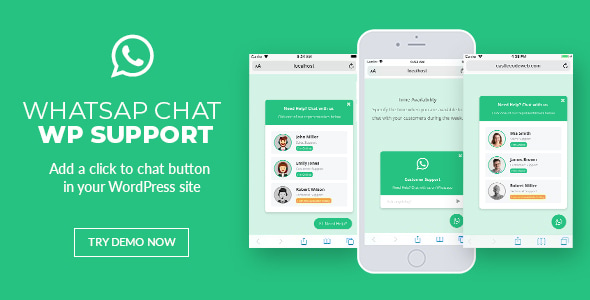
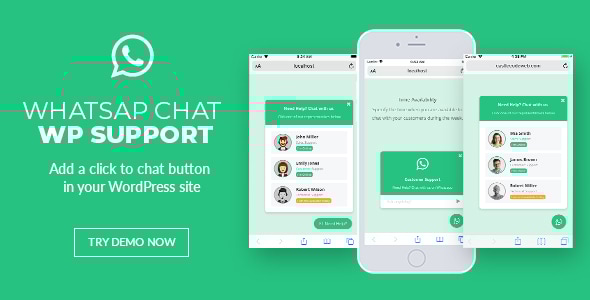
WordPress WhatsApp chat support plugin that provides a quick and easy way to interact with your clients. This plugin will allow your customers to send WhatsApp messages directly to your support team.
You can just add this click-to-chat plugin in your existing WordPress theme or website.
This jQuery WhatsApp plugin displays a list of WhatsApp accounts on your site and when clicked will take your customer to https://web.whatsapp.com/ if he is on desktop, or will open the WhatsApp application if he is on mobile.
- User friendly admin panel
The plugin comes with a friendly admin panel so you can edit and configure your WhatsApp button anyway you want using tons of options, also you can create as many buttons as you want - Video tutorials
The docs comes with video-tutorials so you can quickly learn how to use this plugin, check them out here - Shortcode support
Place your WhatsApp buttons via shortcode in any page or post - Add it to all your pages
You can configure to show your WhatsApp button in all your WP pages and exclude some if needed - WooCommerce support
You can specify your WhatsApp button to show up after/before the “Add to Cart” button in your WooCommerce products - Import / Export
You can import and export any of your WhatsApp buttons, in case you need to migrate or make a backup - Single and multiple accounts
You can show each member of your support team with their names and titles, so your customers can contact them individually - Define time availability
Specify the time when you and your team are available to chat with your customers during the week. Each of your support members can have different availability. - Let your customers see when you are offline
Specify the message to show your customers when you are not available. - Pre-defined text
You can make it easier for your customers and have a pre-defined text for them, so it is easier for them to start a conversation. - Availability in your customer’s timezone
If your customer is in a different timezone your availability will be automatically converted for him. - Easy to customize
You can easily customize it via CSS or you can even play around with the HTML. - Lifetime updates
You can ask any question regarding the plugin before or after you buy and also you get free lifetime updates.
Customer Reviews
0.0
star
star
star
star
star
0 reviews
5 Stars
0%
4 Stars
0%
3 Stars
0%
2 Stars
0%
1 Stars
0%
No reviews yet.
verified_user
Secure Checkout
help_center
24/7 Support